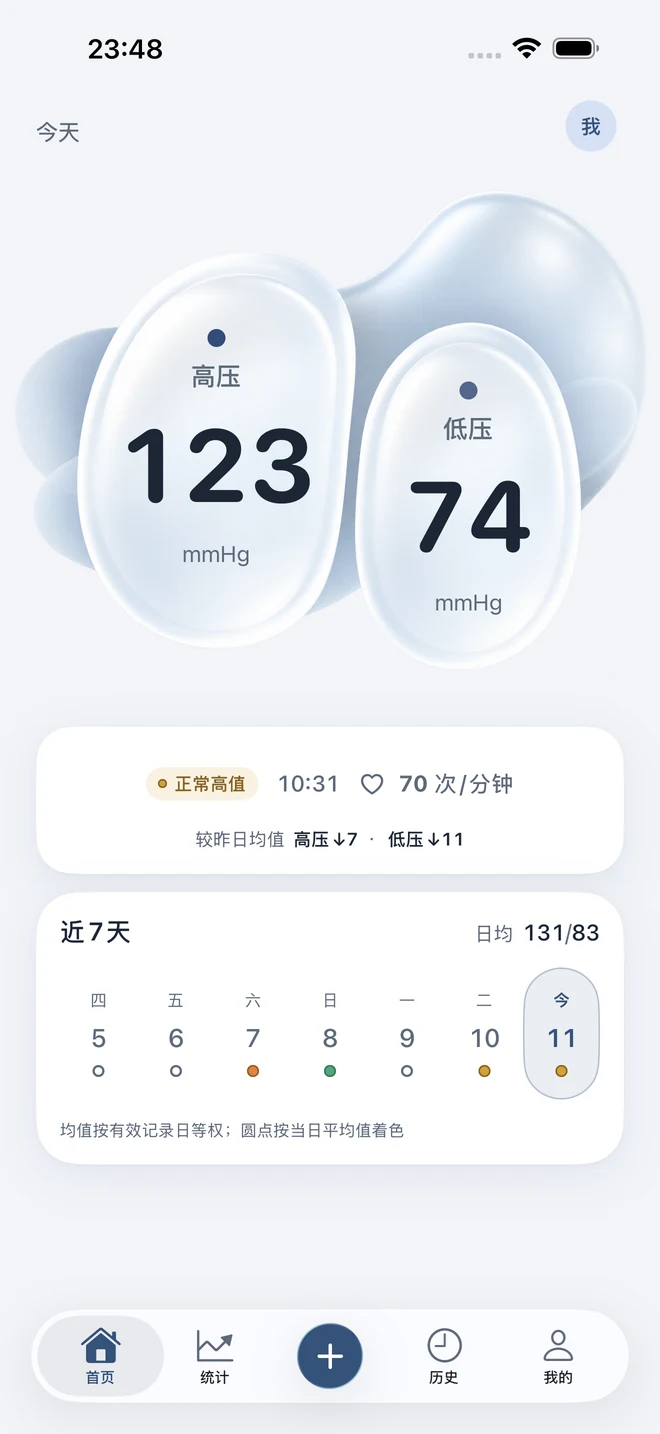
App screens in Simplified Chinese · demonstration data
Record by hand, even offlineScan readings on your devicePrepare a readable PDF report
Understanding starts with a simple record.
A reading has a little more meaning with its time, context and history alongside it. Keep them together, ready to revisit.
App screens in Simplified Chinese · demonstration data
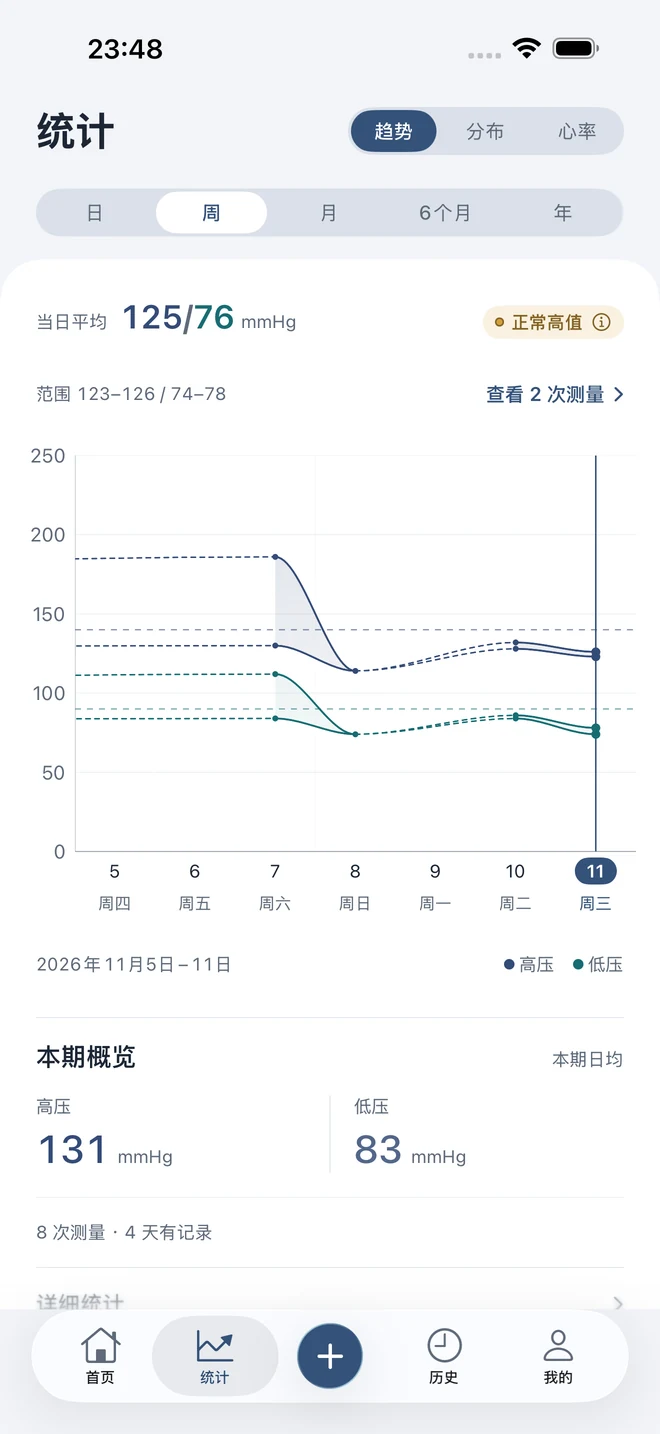
A reading today. A picture over time.
Move between daily, weekly, monthly, half-year and yearly views of blood pressure and pulse. Return to the original entries when you want to understand a point on the chart.
Half-year and yearly trends require Pro. Charts are for review, not diagnosis.Support
Make room for an easier routine.
Type it in. Or take a photo.
Enter systolic and diastolic pressure, optional pulse, measurement time and notes. Or scan the monitor display or choose a photo, then review the on-device result before saving.
Always check recognized readings. An entry is created only when you save.
Your records. Your family’s, too.
Keep a separate profile for each family member. Switching profiles updates the home screen, trends, history and reports, so each entry belongs to the right person.
Adding family profiles requires Pro. Obtain their permission first.
A small reminder, on your terms.
Choose a title, description, time and repeating days. Reminder plans stay on your device and can be paused whenever you need.
Lock-screen notifications may show the title and description you enter.
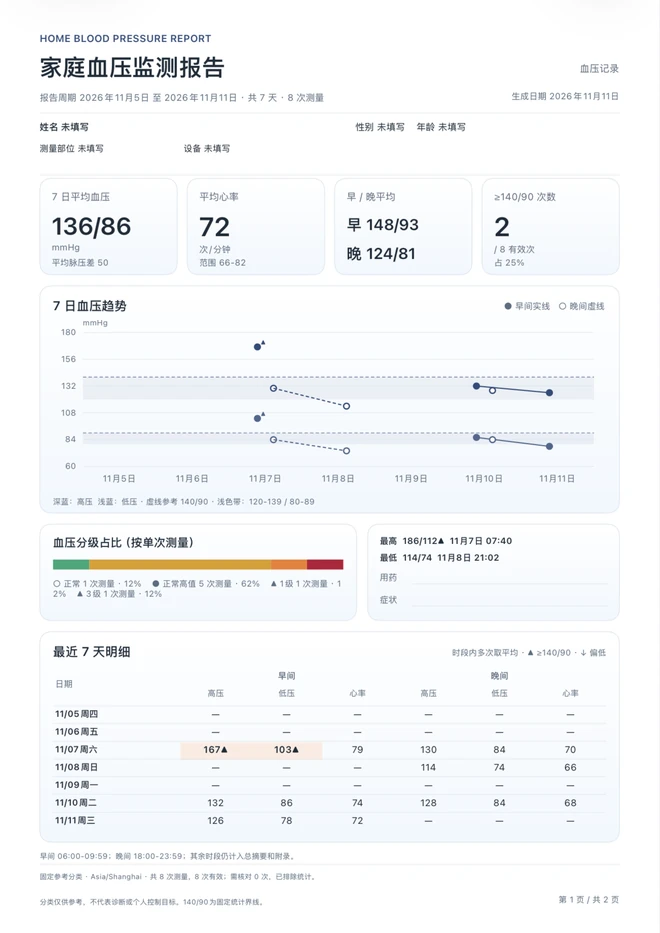
Bring a clearer record to your next appointment.
Organize existing readings into a 7-day trend or a 30-day calendar report, with entry details included. Save a PDF, share or print it. You choose.
7-day trends & 30-day calendars
A4 & US Letter paper
CSV exports & JSON backups
Full 30-day reports require Pro. Reports organize records; they do not recommend treatment.
App screens in Simplified Chinese · demonstration data
Keep records on your device, or choose iCloud to sync profiles and readings to the private space of the same Apple account. Scans are recognized on-device; images are held only in memory.
Turning off sync does not delete existing cloud copies. Take care with files you export or share.
Start with a reading. Build a little history.
BP Journal is getting ready for release. The App Store download link will appear here when it is available.